
Your Page Ranks. Nobody Clicks. Here's How to Fix It.
You check Google Search Console and see 50,000 impressions for your best keyword. Then you look at clicks: 247. That's a 0.5% click-through rate. For a page ranking on page one.
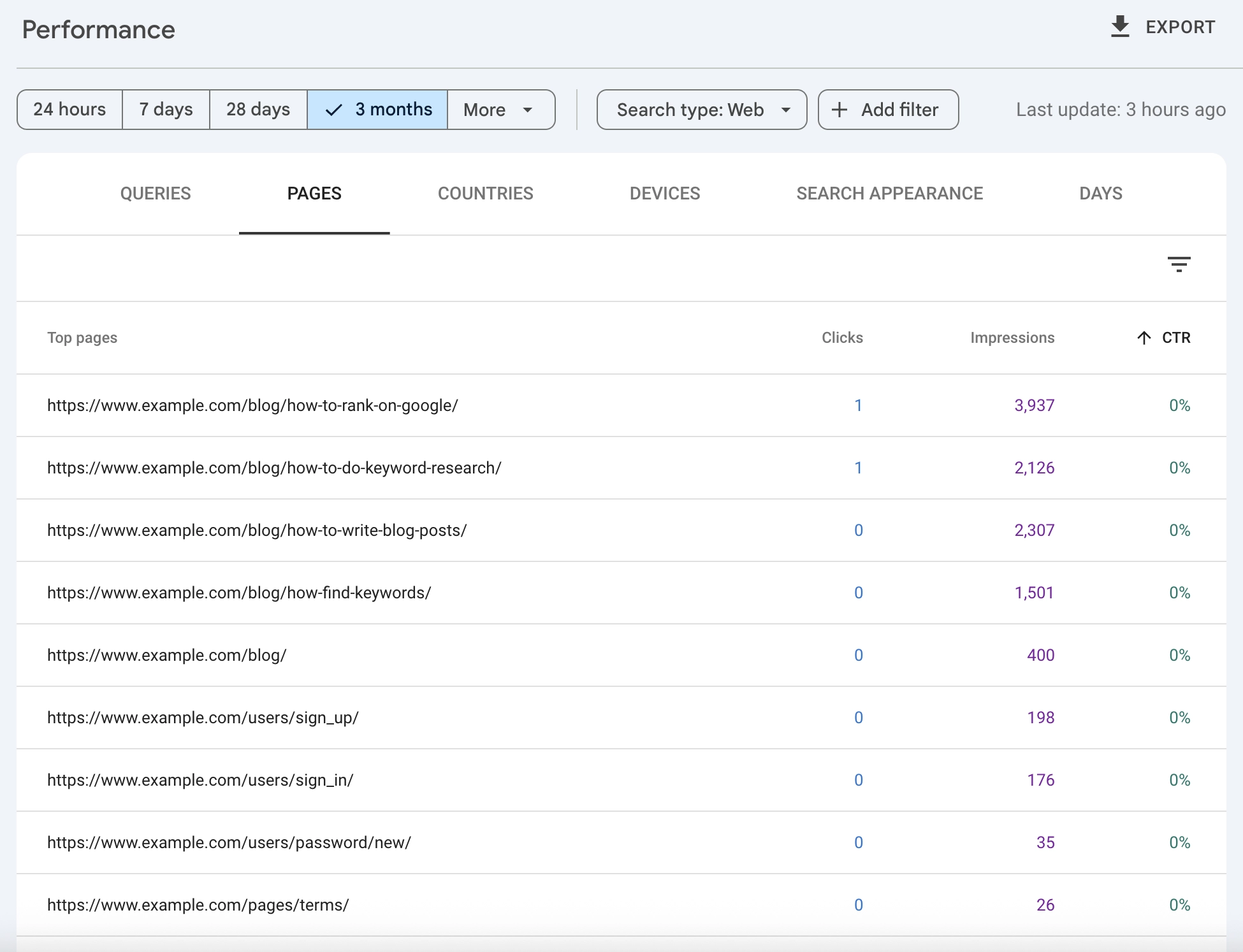
Something is broken. And it's not your rankings.
I've seen this pattern dozens of times. A site does everything right: solid keyword research, quality content, good backlinks. The page climbs to position 5, 4, even 3. But the traffic never comes. Meanwhile, the competitor at position 6 somehow gets more clicks than you do.
The difference isn't ranking position. It's how your result looks in search. Your title is boring. Your description is generic. Your snippet blends into the page like wallpaper.
Impressions without clicks are wasted rankings. Every time someone sees your result and scrolls past, you've lost a potential customer to a competitor with a better snippet. And here's what most people miss: CTR optimization is the fastest path to conversion optimization. More clicks means more chances to convert. No traffic, no conversions.
In this guide, you'll learn how to find your worst-performing pages in Google Search Console, diagnose why users skip your results, and write titles and descriptions that actually get clicked.
You earned the ranking. Now earn the click.
Finding Your CTR Problems in Search Console
Before you fix anything, you need to know what's broken. Google Search Console tells you exactly which pages are underperforming, if you know where to look.
The High-Impression, Low-CTR Filter
Open Search Console and go to Performance. Set your date range to the last 3 months (enough data to be meaningful). Then click "Pages" and sort by impressions, highest first.
Now add CTR to your view. You're looking for pages with:
- High impressions (1,000+ monthly)
- Low CTR compared to their position
- Ranking positions 1-10 (page one)
These are your opportunities. A page getting 10,000 impressions at position 4 should get roughly 5-8% CTR based on industry averages. If you're at 2%, something is wrong with your snippet.
What "Normal" CTR Looks Like
CTR varies by position, industry, and query type. But here's a rough benchmark:
| Position | Expected CTR Range |
|---|---|
| 1 | 25-35% |
| 2 | 12-18% |
| 3 | 8-12% |
| 4-5 | 5-8% |
| 6-10 | 2-5% |
If your page at position 3 has a 2% CTR, you're leaving clicks on the table. If your page at position 8 has a 6% CTR, you're doing something right. Learn from that page.
Export and Prioritize
Export your Search Console data and create a simple spreadsheet for CTR reporting. Calculate the gap between your actual organic CTR and expected CTR for each position. Sort by opportunity size.
A page at position 4 with 20,000 impressions and 2% CTR (400 clicks) could reasonably hit 6% CTR (1,200 clicks). That's 800 extra clicks per month from a single page. That's where you start.
Why Users Skip Your Result
You've found pages with CTR problems. Now you need to understand why. Search your target keyword and look at your result alongside competitors.
Your Title Is Generic
Bad title: "SEO Tips for Small Business"
Better title: "11 SEO Tips That Actually Work for Small Business (2026)"
The first title could be on any of 10,000 pages. The second promises specificity (11 tips), results (actually work), relevance (small business), and freshness (2026).
Generic titles get generic results. Users scan the page looking for something that stands out. If your title looks like everyone else's, you disappear.
Your Description Doesn't Match Intent
Search intent matters more than keyword matching. If someone searches "how to fix slow website," they have a problem. They want a solution.
Bad description: "Learn about website speed and performance optimization. Our guide covers many factors that affect how fast your site loads."
Better description: "Your slow website is costing you customers. Here's exactly how to diagnose the problem and cut your load time in half, with free tools you already have."
The first describes what the page is about. The second speaks to the reader's problem and promises a specific outcome. Users click results that feel like they understand their situation.
Competitors Have Rich Snippets
Look at the search results for your target query. Do competitors have:
- Star ratings?
- FAQ dropdowns?
- Sitelinks?
- Product prices?
- Review counts?
If competitors have rich results and you don't, their snippets take up more visual space and look more credible. Your plain blue link fades into the background.
The Query Intent Doesn't Match Your Page
Sometimes low CTR isn't a snippet problem. It's a content problem.
If you're ranking for "email marketing tools comparison" but your page is a general guide about email marketing, users see the mismatch. The title and description reveal that your page isn't what they're looking for, so they skip it.
This is actually the worst scenario, because fixing the snippet won't help. You need to either change the page to match the intent or target a different keyword.
Title Tag Optimization: Writing Titles That Get Clicked
Your title tag is the single biggest factor in organic CTR. A great title can double your clicks without changing your rankings.
The Anatomy of a High-CTR Title
Strong titles share these characteristics:
Include the core keyword early. Users scan left to right. If your keyword is buried at the end, they might miss it. "Keyword Research Guide: Complete 2026 Tutorial" works better than "Complete 2026 Tutorial: Keyword Research Guide."
Add a specific hook. Numbers, years, and qualifiers make titles specific. "7 Ways to..." beats "Ways to...". "The Complete Guide (2026)" beats "The Complete Guide."
Promise a clear benefit. What does the reader get? "How to Write Faster" is okay. "How to Write 2,000 Words Per Day Without Burnout" is better. Specificity creates believability.
Create curiosity without clickbait. A small information gap makes people want to click. "The SEO Mistake 73% of Sites Make" creates curiosity. But the content must deliver on the promise. Clickbait destroys trust.
Title Formulas That Work
When you're stuck, these structures reliably produce clicks:
| Formula | Example |
|---|---|
| Number + Adjective + Noun + Promise | 11 Simple SEO Fixes That Double Your Traffic |
| How to + Desired Outcome + Timeframe | How to Rank on Page One in 90 Days |
| Question + Implied Answer | Why Isn't Your Content Ranking? (And How to Fix It) |
| Year + Topic + Value Prop | 2026 Keyword Research: The Only Guide You Need |
| Negative + Solution | Stop Making This SEO Mistake (Do This Instead) |
Don't use the same formula for every page. Variety keeps your site looking natural in search results.
Title Length: The Real Rules
Google typically displays 50-60 characters before truncating. But truncation isn't always bad.
If your most important words are in the first 50 characters, truncation just cuts off less important words. "The Complete Guide to Keyword Research for B2B SaaS Companies in 2026" becomes "The Complete Guide to Keyword Research for B2B SaaS..." That's fine. The important part is visible.
What to avoid: important information at the end that gets cut. "Everything You Need to Know About Keyword Research" might become "Everything You Need to Know About Keyword..." which tells users nothing.
Before committing to a new title, preview it. Our free Google SERP Preview tool shows exactly how your title and description will appear in search results, including pixel-width calculations and truncation warnings.
Meta Descriptions That Sell the Click
Google rewrites meta descriptions about 70% of the time. But you should still write good ones. When Google does use yours, it matters. And a well-crafted description helps Google understand your page's value proposition.
Write for the Searcher, Not the Algorithm
Your meta description is ad copy. You're competing for a click against 9 other results.
Don't describe what the page is. Describe what the reader gets.
- Weak: "This article explains keyword research and how to do it effectively."
- Strong: "Find keywords your competitors missed. This step-by-step process reveals hidden opportunities in any niche."
The first describes the content. The second promises a specific outcome and creates intrigue.
Match the Search Intent Explicitly
If the query is a question, answer it (partially) in the description:
Query: "how long does SEO take to work"
Description: "Most sites see initial results in 3-6 months, but it depends on competition and your starting point. Here's exactly what to expect and how to speed things up."
This does two things. It shows you have the answer (building trust). And it creates curiosity about the details (driving the click).
Include a Call to Action
End your description with momentum. Don't just trail off.
- "Learn how to double your organic traffic."
- "Get the free checklist inside."
- "See the exact process we used."
- "Find out if your site is at risk."
These aren't aggressive CTAs. They're gentle nudges that give users a reason to click right now.
Description Length
Aim for 150-160 characters. Google may show up to 300 characters for some queries, but assume it will truncate around 155-160. Front-load the important message.
Using Structured Data to Stand Out
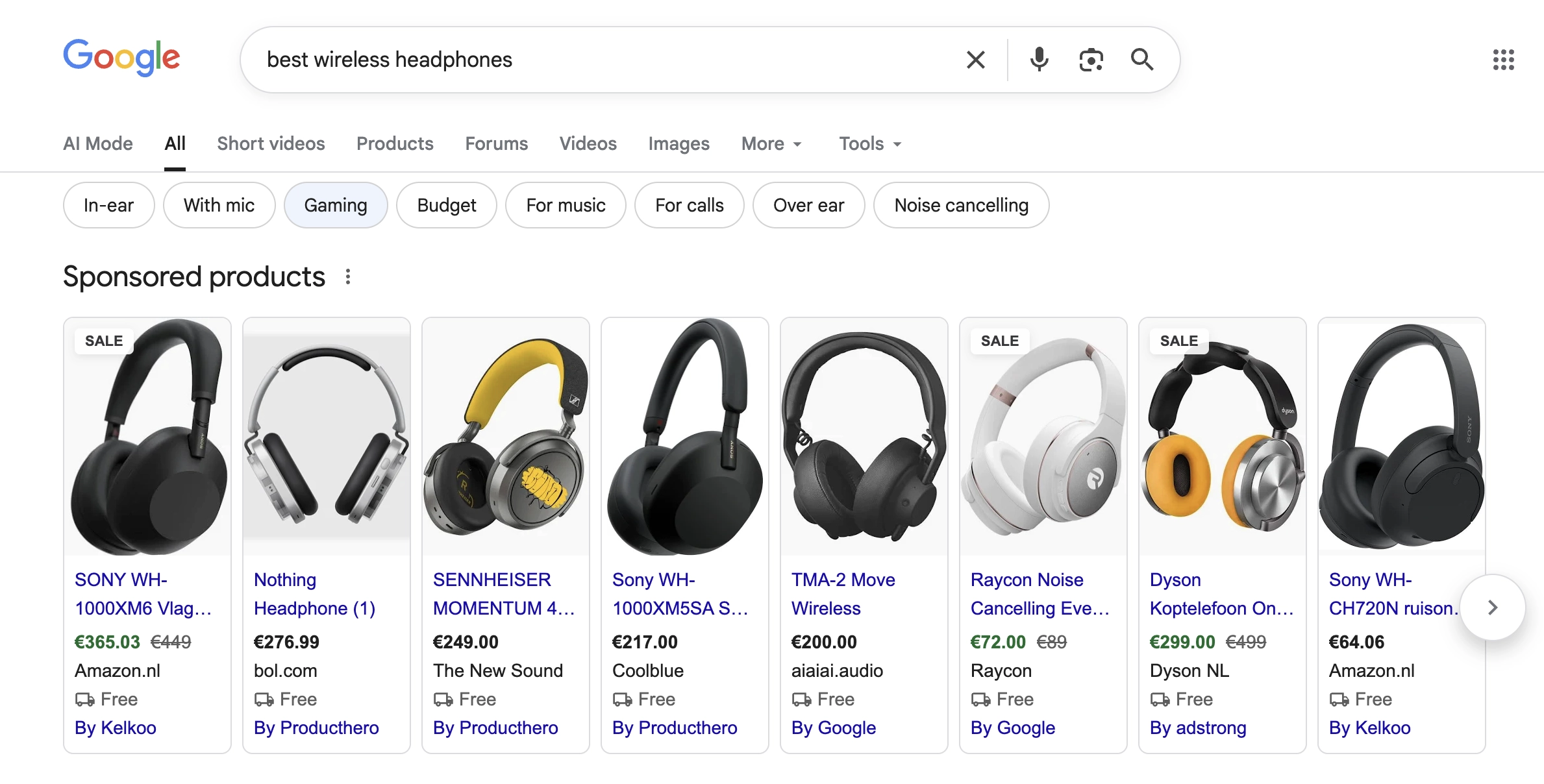
Rich results make your snippet visually larger and more credible. They don't directly improve rankings, but they can dramatically improve CTR.
Schema Types That Still Show Rich Results
After Google's 2023 changes limiting FAQ and HowTo rich results, focus on schema types that still work:
| Schema Type | What It Shows | Best For |
|---|---|---|
| Product | Price, availability, ratings | E-commerce, tools |
| Review/Rating | Star ratings | Reviews, comparisons |
| Recipe | Image, time, ratings | Food content |
| Video | Thumbnail, duration | Video content |
| Article | Publish date, author | News, blogs |
| Organization | Logo, social links | Brand queries |
FAQ schema still exists but now only shows for authoritative health and government sites. Don't expect FAQ rich results for most commercial content.
Implementation Basics
Use JSON-LD format (Google's preference) in your page's head section. Test with Google's Rich Results Test before deploying.
Keep your structured data honest. Marking up content that doesn't exist on the page, or inflating ratings, can trigger a manual action. The penalty isn't worth the risk.
When Rich Results Aren't Possible
Not every page qualifies for rich results. If your content doesn't fit a schema type, focus on the basics: compelling title, strong description, fast-loading page.
Sometimes a well-written plain snippet outperforms a mediocre rich result. Don't chase schema markup at the expense of good copy.
Competing Against SERP Features
Your real competition isn't always other websites. Sometimes it's Google itself.
The Featured Snippet Problem
If a featured snippet appears above your position 1 result, your CTR suffers. Users get their answer without clicking.
Two strategies:
Win the snippet. Structure your content to answer the query directly in 40-60 words. Use the exact question as a heading, then answer it immediately below.
Target queries without snippets. Commercial and comparison queries are less likely to have featured snippets. "Best CRM software for small business" is better than "What is CRM software."
People Also Ask Opportunities
The "People Also Ask" box shows related questions. Each question is a potential snippet opportunity.
Find the PAA questions for your target keyword. Answer them in your content. This can win you additional visibility beyond your main ranking.
AI Overviews and Zero-Click Searches
Google's AI Overviews summarize answers at the top of results for many queries. For informational searches, this reduces clicks to all organic results.
Your options:
- Target commercial queries where users need to click to complete a task (buy, compare, sign up)
- Create content AI cites by using clear, factual statements and structured formats
- Accept lower CTR for informational queries and measure success by impressions and brand visibility instead
For more on adapting to AI search, see our guide on keyword research for AI search.
Measuring CTR Improvements
After making changes, you need to verify they worked. But CTR measurement has quirks.
Wait for Sufficient Data
Don't check results after 3 days. CTR fluctuates. You need at least 2-4 weeks of data to see meaningful patterns.
In Search Console, compare the period after your changes to the period before. Use the same number of days for both. Look for:
- CTR increase for the specific page
- CTR increase for queries associated with that page
- Click volume changes (the real metric that matters)
Account for Position Changes
CTR and position are connected. If your position improved, your CTR should improve naturally. If your position dropped, your CTR will drop even with a better snippet.
Compare CTR at similar positions. If you were position 5 with 3% CTR before, and position 5 with 5% CTR after, your changes worked. If you're now position 3 with 5% CTR, it's harder to isolate the snippet improvement from the position improvement. For more rigorous measurement, consider SEO split testing where you change only half your pages and compare against a control group.
Track Over Time
CTR optimization isn't one-and-done. Search results change. Competitors update their snippets. Google tests different formats.
Set a quarterly reminder to review your top pages by impression volume. Look for any that have dropped in CTR and investigate why.
Frequently Asked Questions
What is organic CTR?
Organic CTR (click-through rate) is the percentage of people who click your search result after seeing it in Google. If your page gets 1,000 impressions and 50 clicks, your organic CTR is 5%. It's one of the most important metrics in Google Search Console because it measures how effectively your search snippets convert visibility into traffic.
What is a good CTR for organic search?
It depends on position, industry, and query type. Position 1 typically sees 25-35% CTR. Position 5 sees 5-8%. If your CTR is significantly below these ranges for your position, there's room to improve.
How long after changing my title should I expect to see CTR changes?
Google re-crawls most pages within days to weeks. You should see your new title appear in search results within 1-2 weeks. Allow another 2-3 weeks for enough click data to draw conclusions. Total: about 4-6 weeks.
Does CTR affect rankings?
Google has never confirmed CTR as a direct ranking factor. However, pages that satisfy users (which high CTR suggests) tend to rank better over time. Focus on CTR for the traffic benefit, not as an SEO tactic.
Should I use emojis in title tags?
Google sometimes displays emojis, sometimes strips them. If you use them, place them at the end so truncation removes the emoji rather than important words. Test carefully. In professional B2B contexts, emojis may hurt credibility.
Why does Google rewrite my meta description?
Google rewrites descriptions when it thinks its version better matches the search query. This often happens when your description doesn't include the exact query terms. Write descriptions that closely match your target keywords.
My CTR improved but traffic stayed the same. What happened?
Check if your impression count dropped. If you went from 2% CTR on 50,000 impressions (1,000 clicks) to 4% CTR on 25,000 impressions (1,000 clicks), your CTR improved but impressions dropped, likely due to position changes. Investigate ranking changes.
How do I improve CTR for position 1?
At position 1, you're mostly competing against SERP features and brand recognition. Ensure you have rich results if eligible. Make your title definitively better than anything below you. Build brand awareness so users recognize and trust your domain.
Stop Leaving Clicks on the Table
Every impression without a click is a missed opportunity. You did the hard work of ranking. Now finish the job.
Here's what to do:
Find your worst performers. Export Search Console data, identify pages with high impressions and low CTR relative to their position.
Diagnose the problem. Search your keywords and look at your snippet. Is the title generic? Does the description match intent? Are competitors outshining you with rich results?
Rewrite with intent. Make titles specific and benefit-driven. Write descriptions that sell the click. Add structured data where it makes sense.
Measure and iterate. Wait 4-6 weeks, compare CTR before and after. Keep optimizing your highest-impression pages.
A 1% CTR improvement on a page with 100,000 impressions means 1,000 extra clicks per month. From a single page. Without building any new backlinks or creating any new content.
Your rankings already did the heavy lifting. Now make them count.